For Ryan · Week 1 · posts Fri 6 Nov

The boosting video, ready to animate.

STOP Boosting Instagram Posts (Do This Instead). Lloyd's graded cut is on Frame.io with 51 timed comments, one for every placement, title and cut. Every animation below is on Drive, and each comment gives the second its file drops in.

17Animations, numbered in the order they first appear
158sOf finished animation in the pack
4K3840 by 2160, 50 fps, ProRes 4444 with alpha
0Things Lloyd has to record. One optional shot

Before you start

How to use the pack.

Drop a file on V2 over the talking head, trim to taste. They are 50 fps with alpha, so nothing needs keying and nothing needs building.

The short version

Drop it on V2 over Lloyd, trim to taste. 50 fps, alpha, 4K.

Side files

02, 05, 06 and 13 sit in the right third of the frame. Lay them straight over Lloyd, nothing else needed.

Full files

The rest are full screen cutaways. Put W1 00 Ground on V2 under them and the file on V3. Or keep Lloyd under them, dimmed to 40%.

Beats and holds

Each panel lists when things land inside the file. Between beats the frame holds still, so a razor cut in a hold never shows. Cut there to move the next beat onto his words.

The ends

Every file starts on its first frame and ends with a 0.34 second exit. Trim the exit off for a hard cut back to Lloyd.

Frame rate

50 fps like his footage. Dropped in a 25 fps timeline they play at the right speed. Every file has a PNG still next to it.

Changes

The sources are HTML that renders frame by frame, so a wording or timing fix is a quick re render. Send changes to Lloyd.
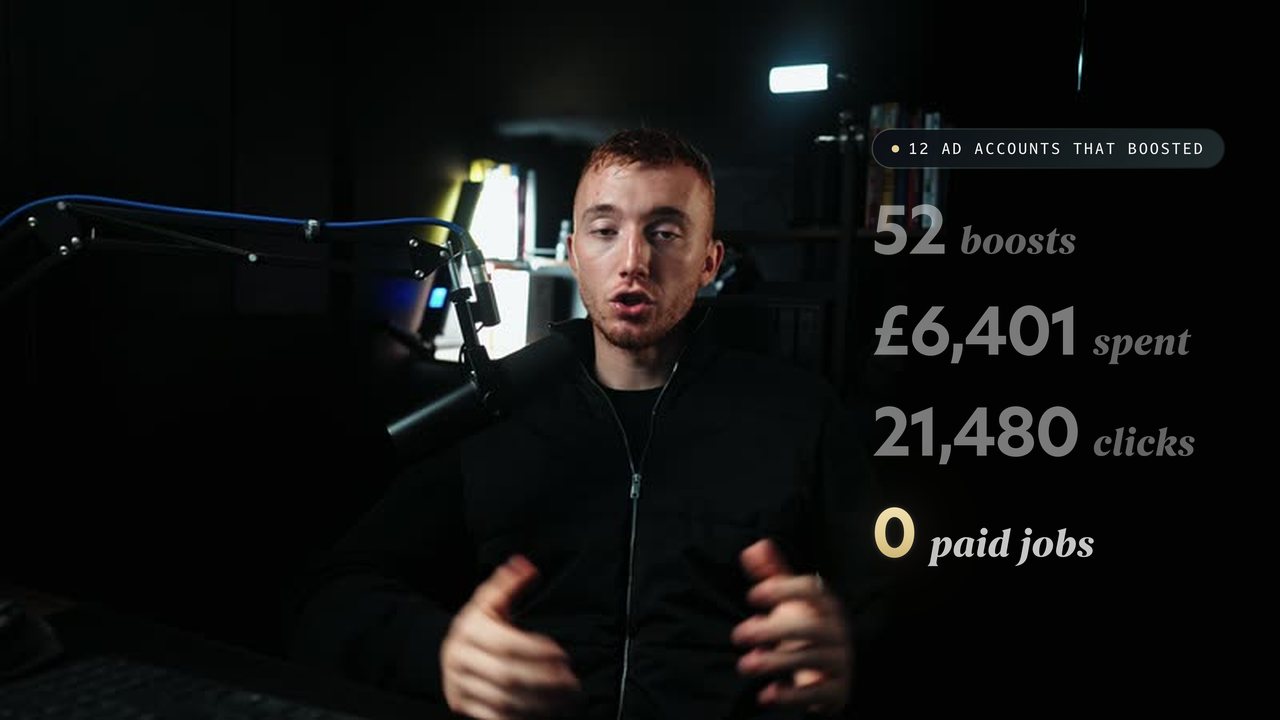
Hook stats laid over a frame of Lloyd's set SIDE FILES

Where the side files sit

The right third, clear of Lloyd

Shown on a frame of this cut at 0:24. If he drifts, nudge Position X, the file is its own layer.

Talking head sizes: A as shot, B 118% for most joins, C 150% for lesson lines with nothing on screen.
The pack at a glance

Sixteen files, in timeline order.

Named W1 01 to W1 16 so they sort in the order you need them. Tap one to jump to where it goes.

The storyboard

Every beat, on his words.

Every section of the script in order. Each beat starts on the words in quotes. Grey tags are the talking head size, gold panels are files from the pack. Titles, chips and pops come from the graphics reference. 71 beats in all.

ABCClips Side fileFull file

Section 01 · 2 animations

Hook

On screenSTOP BOOSTING

  • 01b
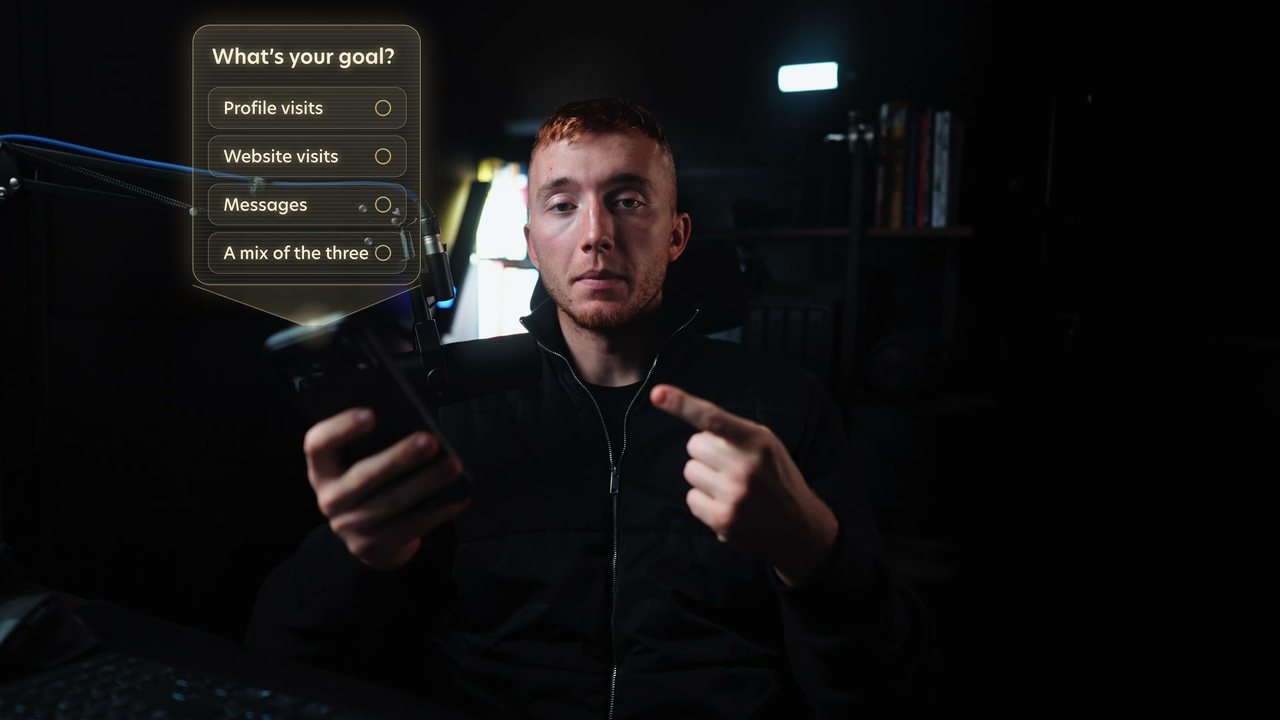
    W1 01b Boost hologram.mov7.6s · Over the footage, tracked to his phone

    This is the Boost button.

    Lloyd mimed the Boost press with his phone in hand, so the menu projects up off it as a hologram. Point track the phone and parent this layer to it.

    • 0.0Light on the phone
    • 0.2Boost post button projects up
    • 0.9Tapped
    • 1.3Goal menu unfolds
    • 7.0Folds back into the phone

    There are two takes of the hook, 0:00 and 0:07.9. Same placement on whichever you keep. The full 01 file comes in Reason 1.

  • B

    It's the easiest way to spend money on Instagram

    Title in the right third: Stop boosting, Begum gold on boosting. Graphics page title style.

    Names the video inside the first five seconds.

  • A

    We went through every ad account we look after, twenty eight of them.

    Let the claim land on his face before the numbers start.

  • 02
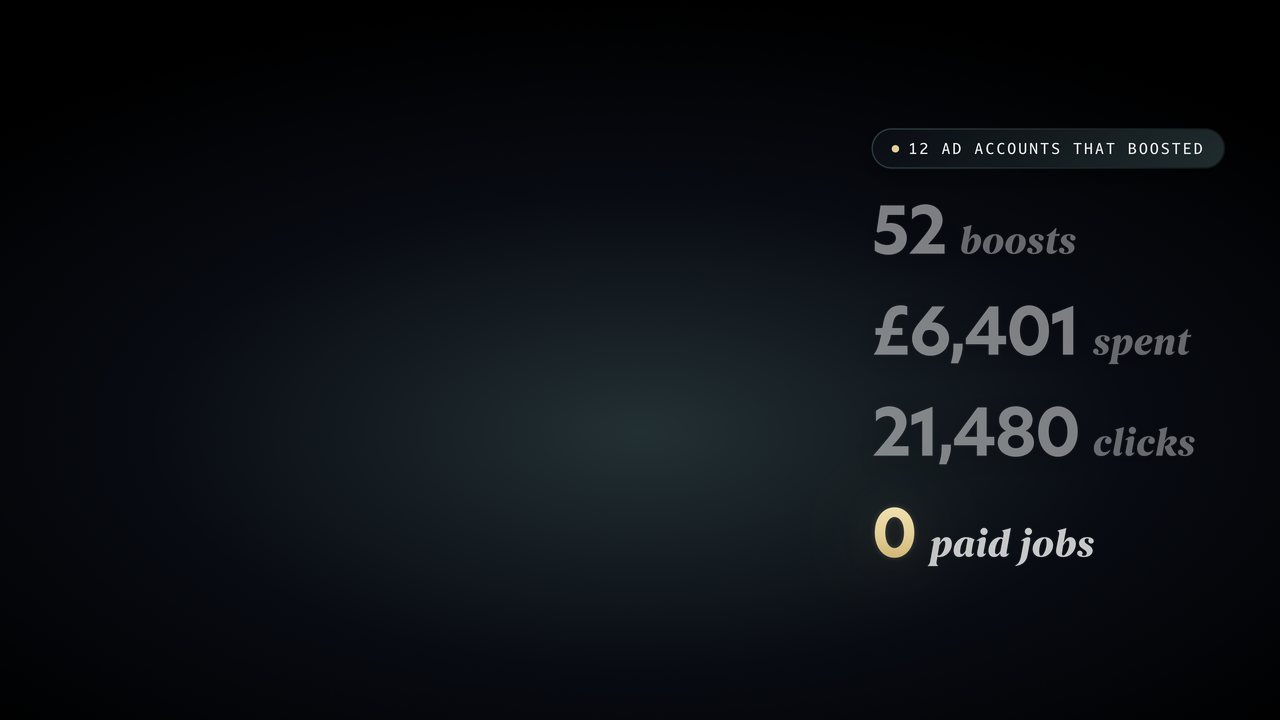
    W1 02 Hook stats.mov8.0s · Side, right third, straight over Lloyd

    they'd boosted fifty two posts

    Four numbers are easier to see than to hear. Sits in the right third, straight over Lloyd.

    • 0.152 boosts
    • 1.6£6,401 spent
    • 3.621,480 clicks
    • 5.20 paid jobs
  • B

    In this video I'm going to show you

    The promise. Step to C on “the five things to do instead” to close the hook.

Section 02

Who it's for

On screenLloyd Hunt, Hunt Visuals

  • A

    If you run a trade, a clinic, a gym

    He is talking straight to the viewer. Nothing on top.

  • A

    I'm Lloyd, I run Hunt Visuals.

    Lower third: Lloyd Hunt, role chip Hunt Visuals. Graphics page section 02.

    Once, here, and never again in the video.

  • B

    I was labouring on building sites

    Story beat. A size change keeps it moving.

  • A

    We're creating videos like this

    Back to A to reset before the explainer starts.

Section 03 · 2 animations

What a boost actually is

On screenA boost is an ad with the settings taken away

  • B

    a boosted post is still an ad.

    Title: A boost is an ad with the settings taken away. Begum gold on ad.

    The single idea of the section, so it gets the title.

  • 03
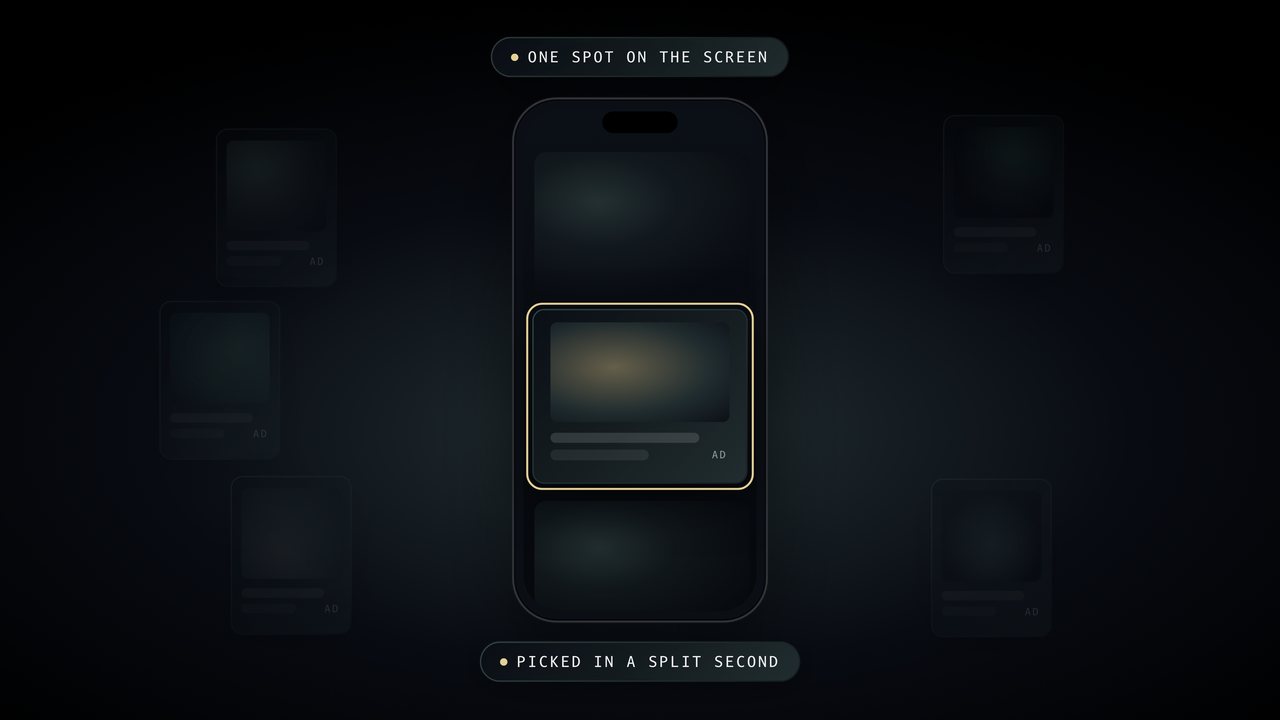
    W1 03 Auction.mov6.0s · Full screen, W1 00 Ground under it

    Every time someone opens the app

    The auction is invisible, so draw it. Hold it through “in a split second”.

    • 0.3Ads gather round one spot
    • 1.0They compete
    • 1.9One wins the spot
    • 2.5Picked in a split second
  • A

    Your boost goes into that same auction

    Back to him for the turn.

  • 04
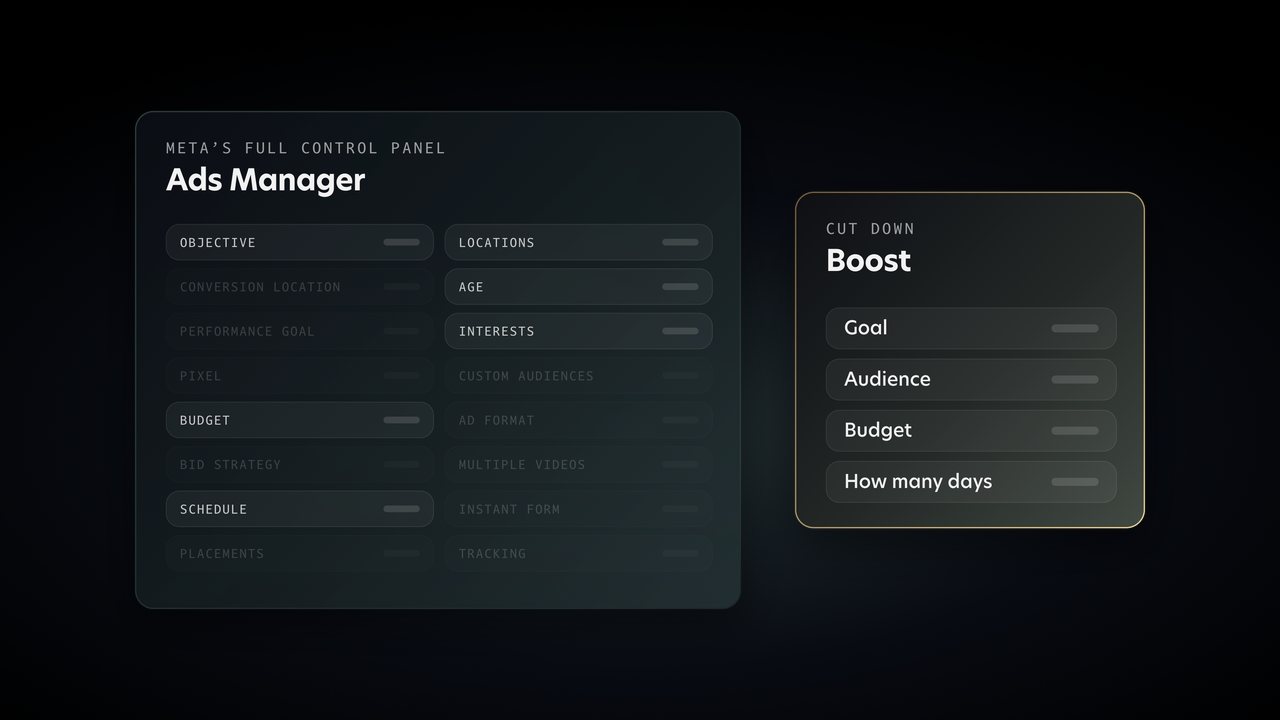
    W1 04 Boost vs Ads Manager.mov6.6s · Full screen, W1 00 Ground under it

    a cut down version of Ads Manager

    Shows how much a boost hides. Hold it through “how many days it runs”.

    • 0.0Ads Manager, every setting
    • 1.6Boost, four settings
    • 2.5Everything else is taken away
  • B

    For the audience, it either picks people similar to your followers

    The flyers on the high street line is a story. His face sells it better than a graphic.

  • C

    the one setting that matters most is the goal

    Keyword pop: the goal.

    Lesson line of the section.

  • A

    So this video comes in two parts.

    Signposting. Step to B on the bridge “Let's start with the goal.”

Section 04 · 2 animations

Reason 1: It asks for the wrong thing

On screenPart 1. Why boosting doesn't get you customers.

  • A

    Reason one, the Boost button only lets you ask for the wrong things.

    Chapter marker: Part 1, Why boosting doesn't get you customers. Graphics page section 03.

    Opens Part 1.

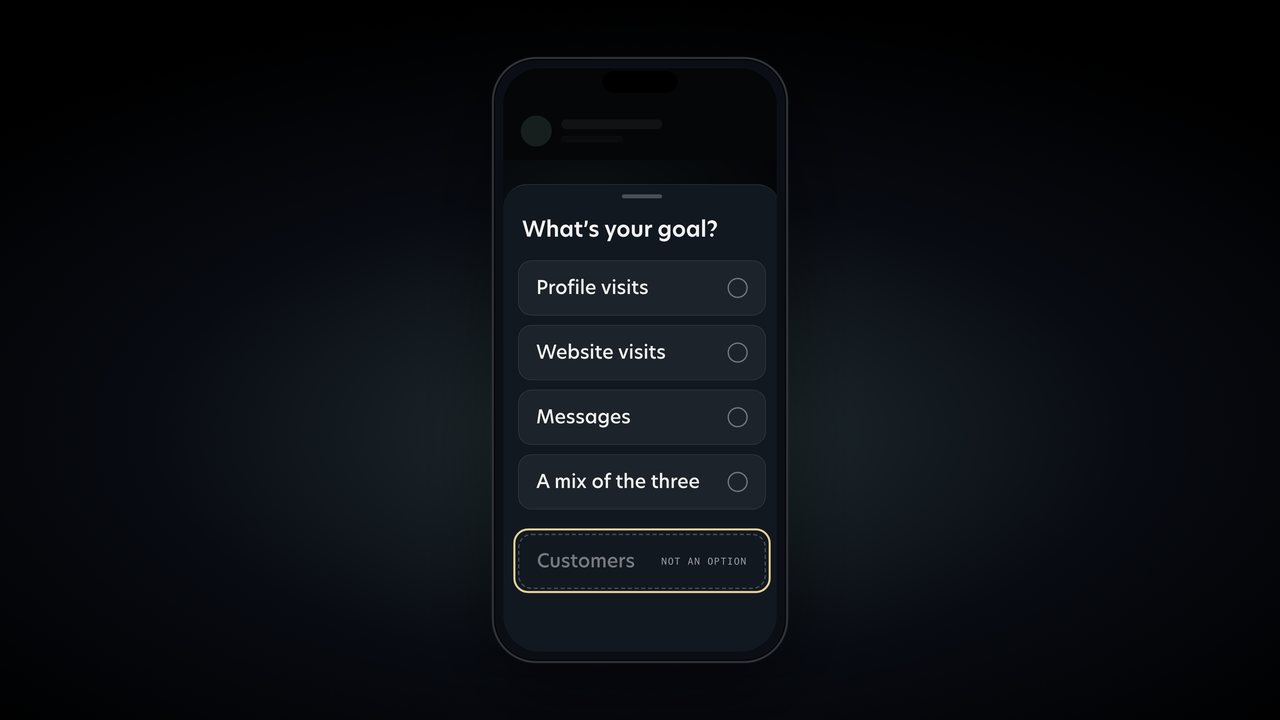
  • 01
    W1 01 Boost menu.mov8.0s · Full screen, W1 00 Ground under it

    Open it up and look at the goals.

    The full file this time. The gold box circles each goal as he lists them and lands on the missing Customers row.

    • 0.0Phone lands
    • 0.9Boost post tapped
    • 1.3Goal menu slides up
    • 2.6Goals circled one by one
    • 6.2Customers: not an option

    Starts at 1.3 if you want to skip the tap. Razor the hold between 4.7 and 6.1 so Customers lands on “none of them say customers”.

  • B

    The way it works is, Meta looks at everyone in the area you picked

    Keyword pop on “the people who tap on everything”.

    The mechanism. One pop on the phrase that matters.

  • 05
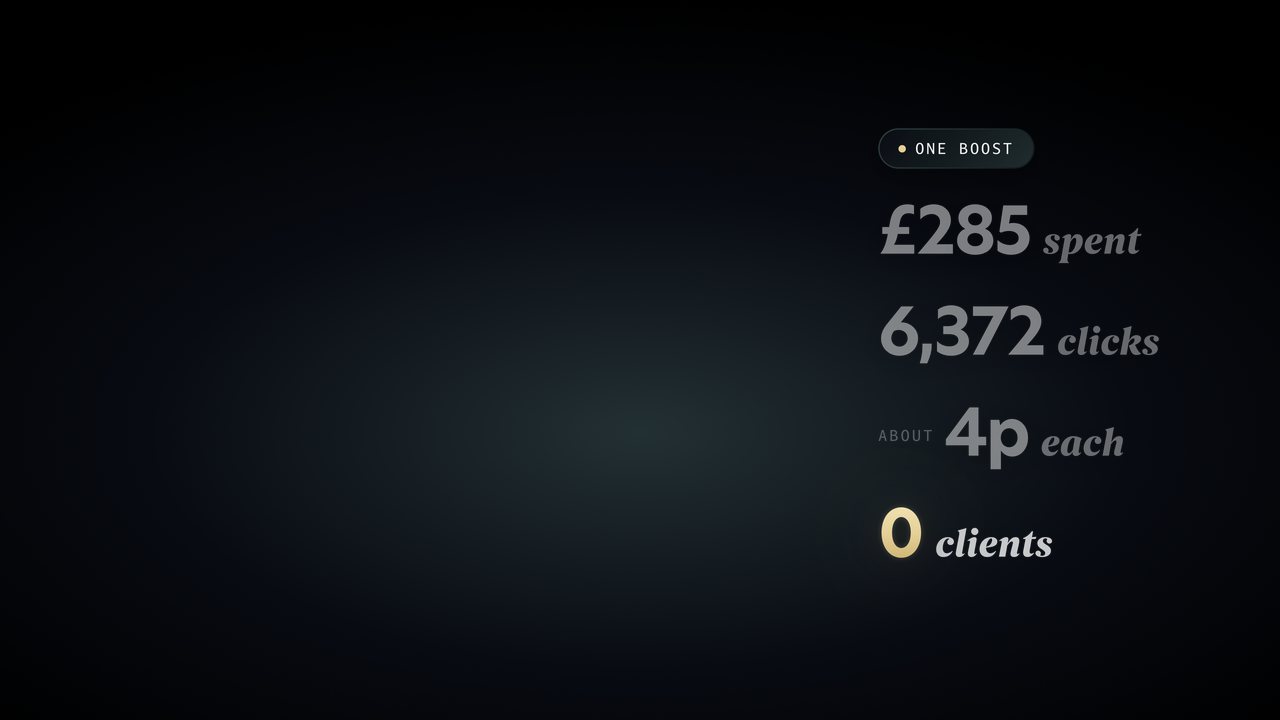
    W1 05 Cheap clicks.mov7.2s · Side, right third, straight over Lloyd

    boosted a single post for two hundred and eighty five quid

    The cheap click story in numbers. Right third, over Lloyd. The gold 0 lands on “It didn't bring in one client”.

    • 0.1£285 spent
    • 1.56,372 clicks
    • 2.7About 4p each
    • 5.00 clients

Section 05 · 1 animation

Reason 2: The numbers flatter you

On screen858,000 views. 0 leads.

  • A

    Reason two, the numbers a boost gives you look brilliant

    Chip: Reason 2, The numbers flatter you.

    Marks the reason.

  • 06
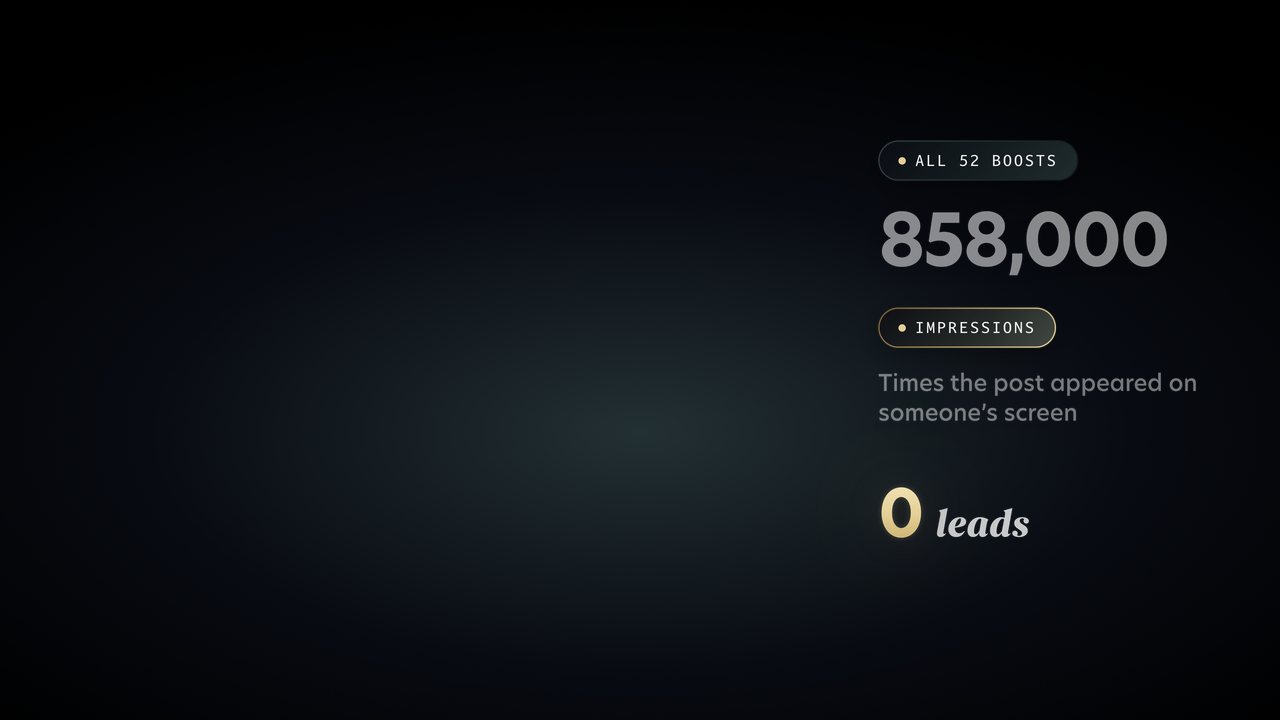
    W1 06 Impressions.mov7.0s · Side, right third, straight over Lloyd

    put in front of people over eight hundred and fifty thousand times

    Counts up while he says it, then defines impressions in plain words. Right third, over Lloyd.

    • 0.1858,000 counts up
    • 2.6Impressions
    • 3.6Times it appeared on a screen
    • 5.00 leads
  • B

    Someone half asleep scrolling at eleven at night counts.

    Two quick pictures in words. Let him tell them.

  • A

    Then there's the results number

    Keyword pop: warning sign.

    One pop, on “a warning sign, not a win”.

  • C

    Likes, reach and views don't pay the bills.

    Lesson line. Nothing on screen.

Section 06 · 1 animation

Reason 3: There's nowhere to say yes

On screenNo form. No test. No follow up.

  • A

    Reason three, a boosted post has nowhere for a customer to actually say yes.

    Chip: Reason 3, Nowhere to say yes.

    Marks the reason.

  • B

    There's no form, so nobody leaves their name and number

    Title: No form. No test. No follow up. Begum gold on follow up.

    His own on screen line. Three short beats, one title.

  • 07
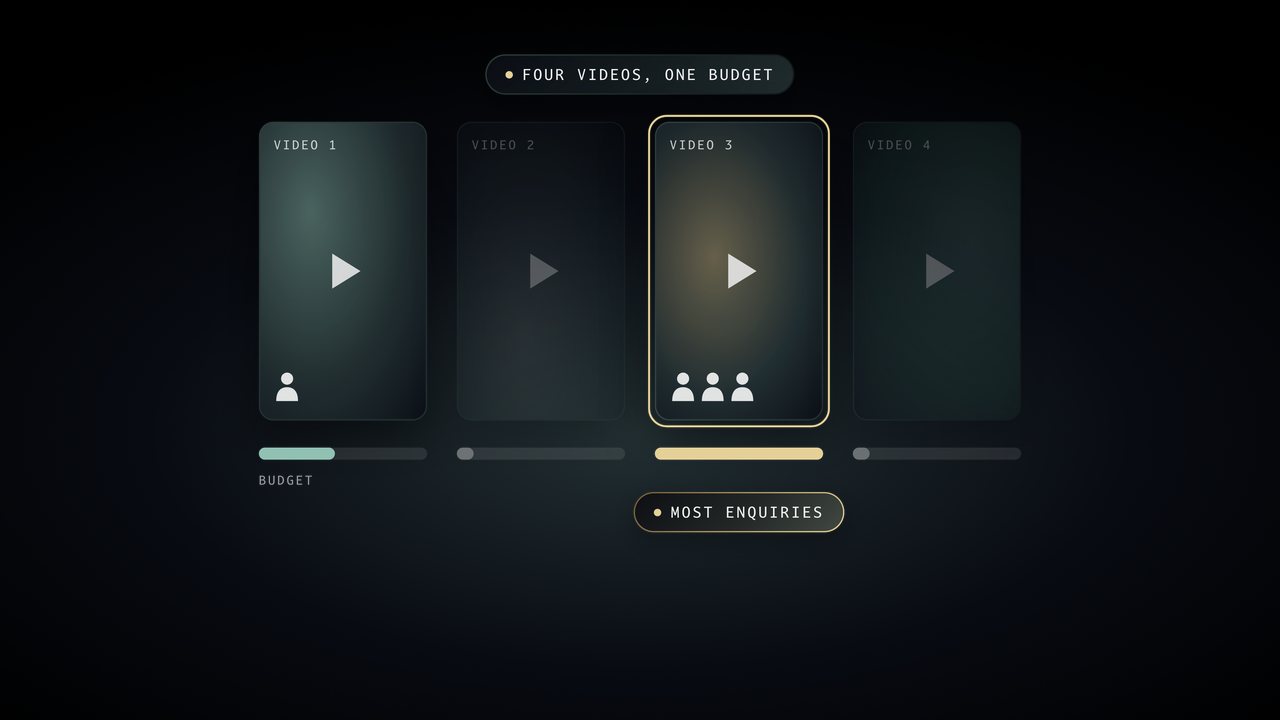
    W1 07 Testing.mov6.6s · Full screen, W1 00 Ground under it

    With a proper ad you can run three or four videos at once

    Testing in one picture: the enquiries land, then the money follows them.

    • 0.1Four videos, one budget
    • 1.5Enquiries come in on one
    • 2.5The money moves to it
    • 3.5Most enquiries

    Comes back in Step 3.

  • C

    A boost is one post, so you never find out.

    Lesson line.

Section 07

When boosting is worth it

On screenBoost for awareness. Never for enquiries.

  • A

    Now, I'm not saying never press it.

    Tone shift. Face only.

  • B

    If you've got an open day this weekend

    Title on “That's what's called awareness”: Boost for awareness. Never for enquiries.

    His on screen line, timed to the word.

  • A

    If you do boost, do it properly.

    Practical tips. Keep it on him.

  • B

    Boost from the iPhone app and Apple takes its own cut

    Stat pop: 30% on top, chip under it reading Apple's cut. Only if he kept these lines.

    No screen recording needed. If the Apple lines are cut, skip it.

  • C

    Where it goes wrong is when you boost something and expect the phone to ring.

    Lesson line. Step to B on the bridge “So here's what to do instead.”

Section 08

Quick pause

  • A

    Quick pause. If you run a service business in Sussex

    CTA, gold stroke: DM GROWTH, @huntvisualsuk. Graphics page section 06.

    Cut this whole section from every Short.

Section 09 · 2 animations

Step 1: Pick leads, not likes

On screenPart 2. What to do instead.

  • A

    Step one, stop using the button and open Ads Manager.

    Chapter marker: Part 2, What to do instead. Then the chip Step 1, Pick leads, not likes.

    Opens Part 2.

  • 08
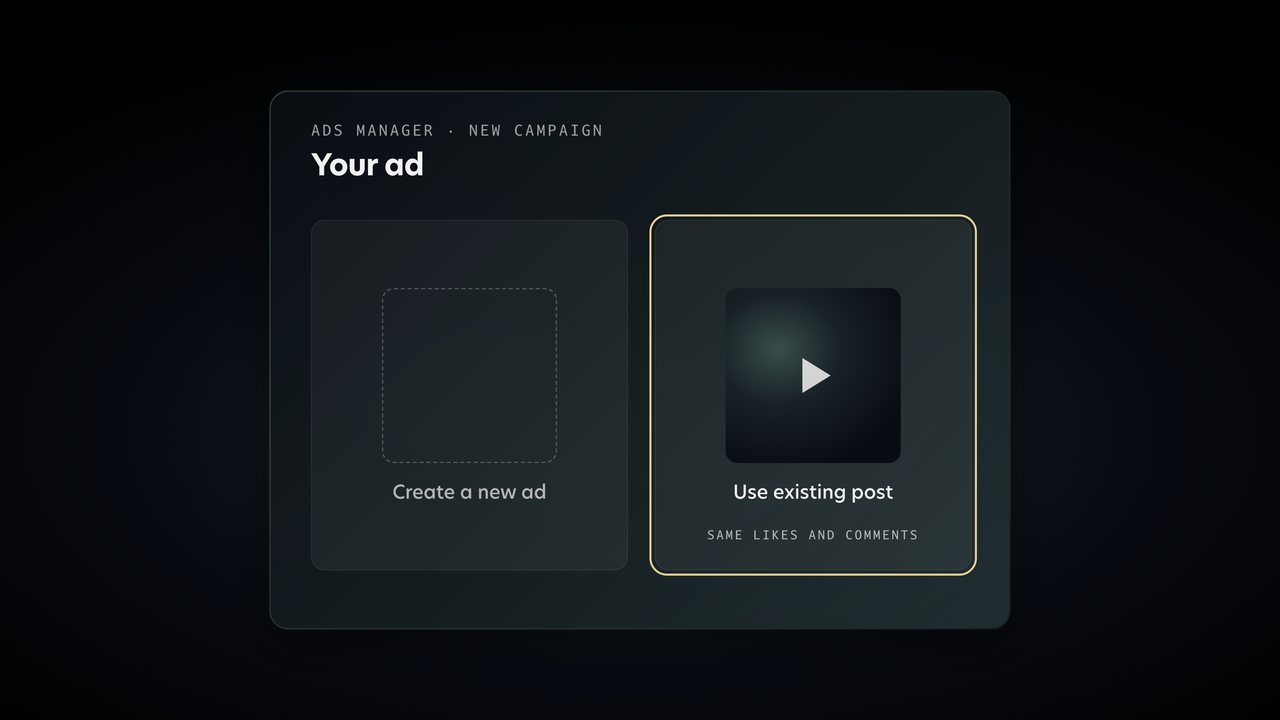
    W1 08 Pick leads.mov10.0s · Full screen, W1 00 Ground under it

    When it asks what you want, pick leads.

    Replaces the screen recording. First half only, up to 4.9: Leads picked and what a lead is.

    • 0.0Ads Manager opens
    • 1.6Leads picked
    • 2.2A lead leaves their details
    • 5.0Second screen: your ad
    • 6.4Use existing post picked

    Razor at 4.9 and lay the second half on “When it asks for the ad, choose use existing post”.

  • B

    Instead of the people who tap on everything

    Back to him between the two halves of 08.

  • A

    You can also make a brand new ad

    Keyword pop: dark post.

    One new term, one pop.

  • 09
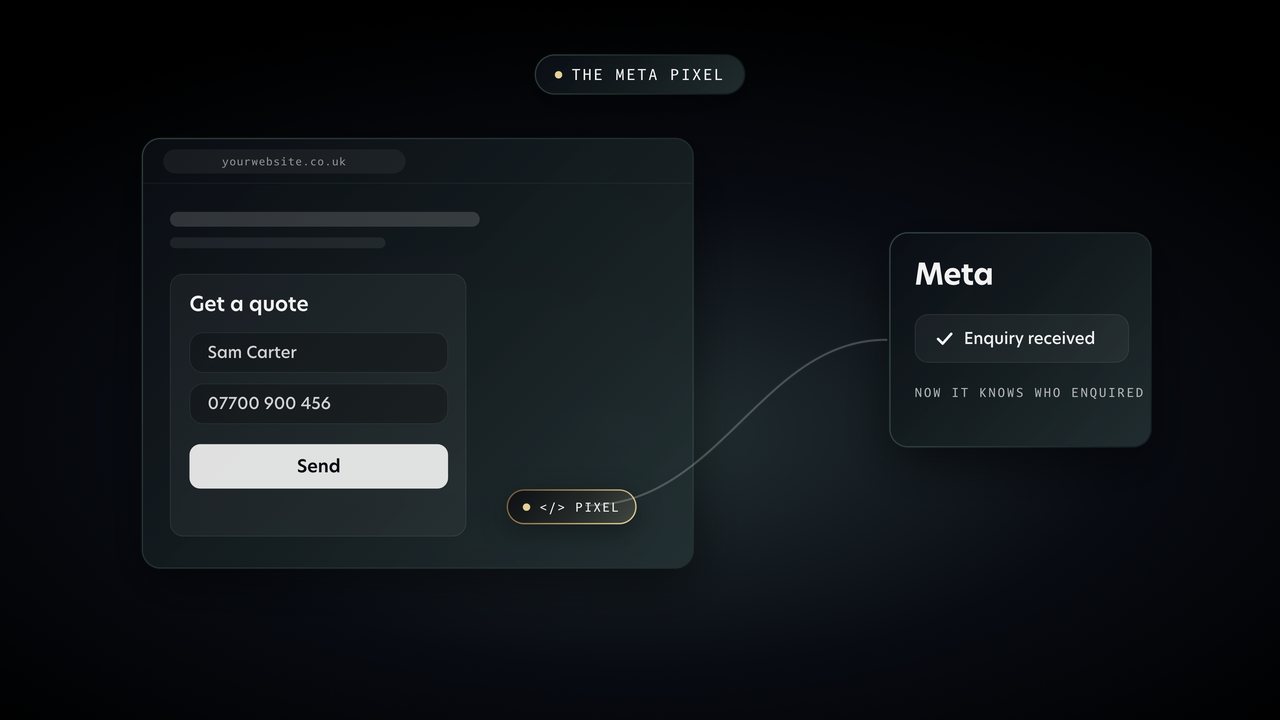
    W1 09 Pixel.mov6.4s · Full screen, W1 00 Ground under it

    The pixel's a small bit of code

    The pixel is invisible, so show it working: an enquiry on the site pings Meta.

    • 0.0A website with a quote form
    • 1.4Someone enquires
    • 1.6The pixel fires
    • 2.4It tells Meta
    • 3.0Meta sees the enquiry
  • C

    Without it, Meta can't see who enquired

    Lesson line.

Section 10 · 1 animation

Step 2: Give them a form

On screenName. Number. Email. One good question.

  • A

    Step two, give people somewhere to say yes

    Chip: Step 2, Give them a form.

    Marks the step.

  • 10
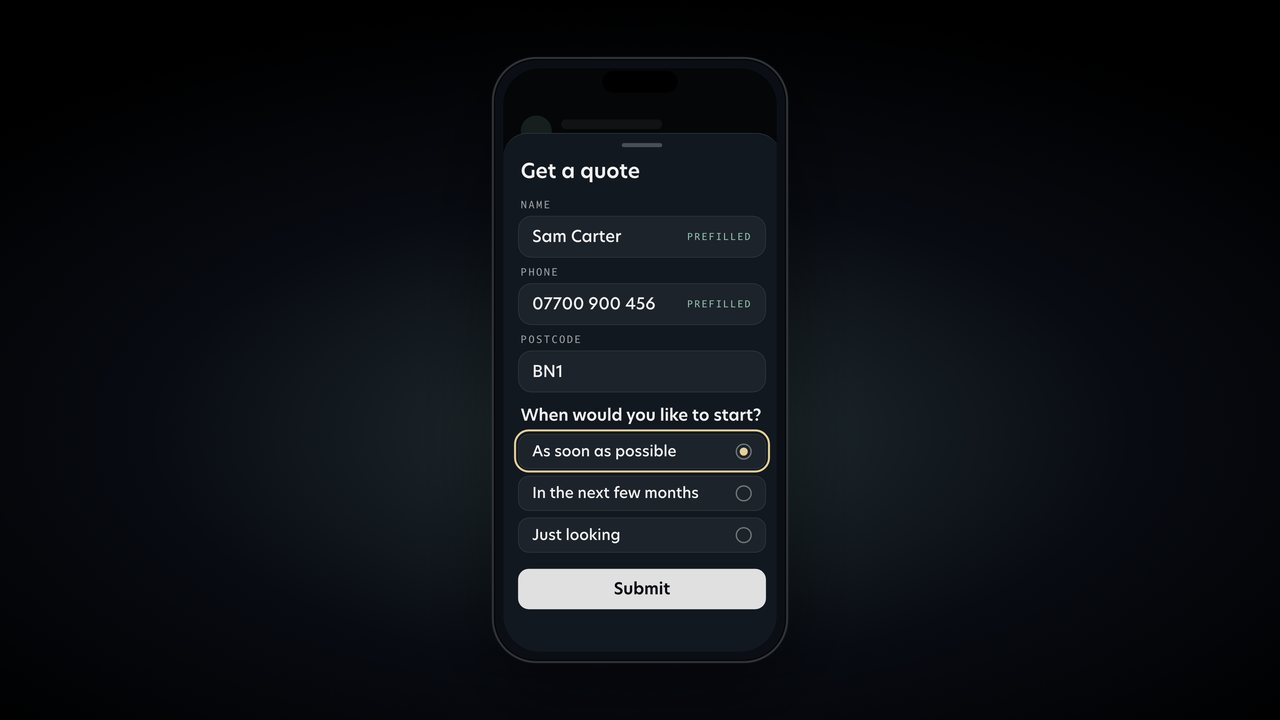
    W1 10 Instant form.mov7.2s · Full screen, W1 00 Ground under it

    Meta calls it an instant form.

    Replaces the lead form screen. Name and number arrive filled in, then the postcode and one question. Made up details only.

    • 0.8Get a quote tapped
    • 1.1The form opens inside the app
    • 1.6Name and number already filled in
    • 2.4Postcode
    • 3.4One good question
    • 4.3Answered

    Hold it through “one question that tells you whether they're serious”.

  • B

    For a builder that might be, roughly what's your budget?

    Three examples. Let him give them, a size change is enough.

  • C

    That one question saves you hours

    Lesson line.

  • A

    Start inside the app.

    Short tip, face only.

Section 11 · 2 animations

Step 3: Let the video do the targeting

On screenWho + where + what

  • A

    Step three is the bit most people get wrong

    Chip: Step 3, Let the video do the targeting.

    Marks the step.

  • B

    The first line has to say who it's for

    Title: Who + where + what. Begum gold on what.

    His on screen line.

  • Clips

    The right person hears it and stops

    The first two seconds of three or four client ads from different trades, back to back, sound up. From the client exports on Drive.

    Lloyd's own edit note. People hear how each one opens.

  • B

    It has to be you on camera too

    Back to him.

  • 11
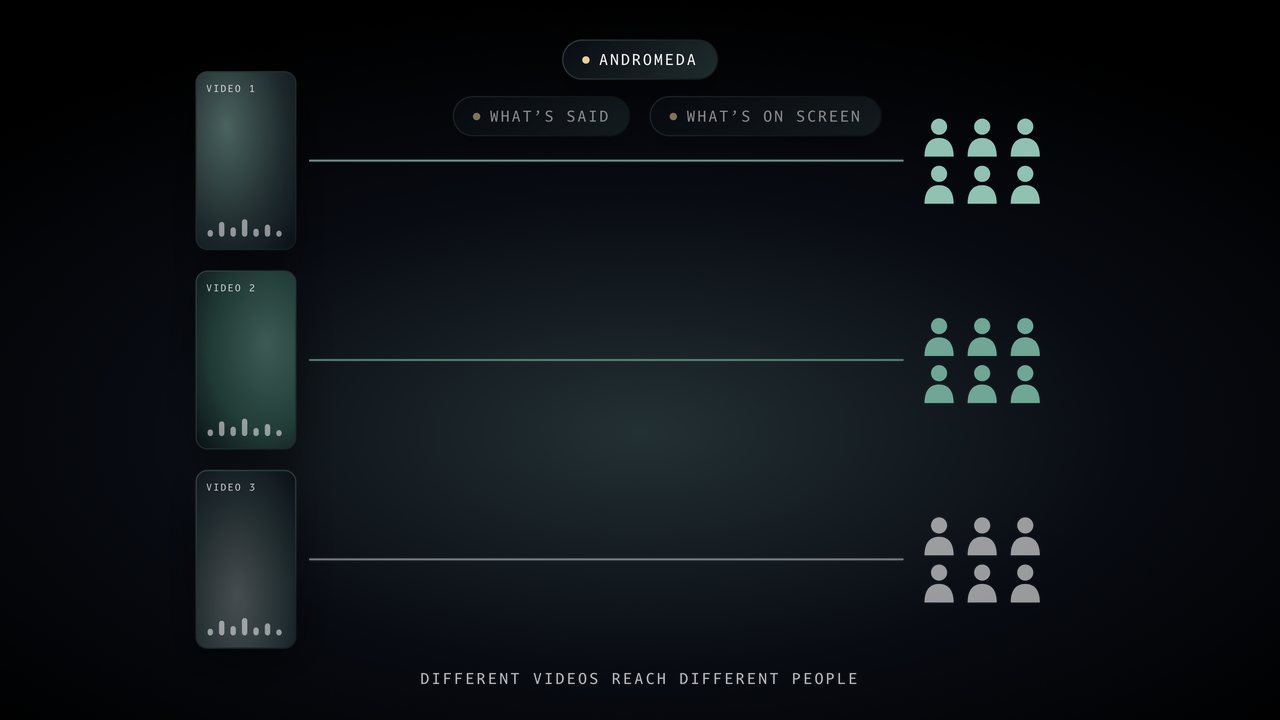
    W1 11 Andromeda.mov7.2s · Full screen, W1 00 Ground under it

    They call it Andromeda

    Meta reading the video and sending each one to different people. Hold it through “they reach different people”.

    • 0.1Three videos
    • 0.9Meta reads each one: what is said, what is on screen
    • 2.6Each video goes to its own people
    • 4.4Different videos, different people
  • A

    Then give it a week before you judge anything.

    Keyword pop: learning phase.

    One pop on the term.

  • 07
    W1 07 Testing.mov6.6s · Full screen, W1 00 Ground under itUsed again

    Turn off the ones that aren't bringing leads in

    The same testing picture as Reason 3, so the viewer connects the two.

    • 0.1Four videos, one budget
    • 1.5Enquiries come in on one
    • 2.5The money moves to it
    • 3.5Most enquiries

    Reuse of 07, no new file.

Section 12 · 1 animation

Step 4: Keep the area tight

On screen10 to 15 miles. No further.

  • A

    Step four, keep the area tight.

    Chip: Step 4, Keep the area tight.

    Marks the step.

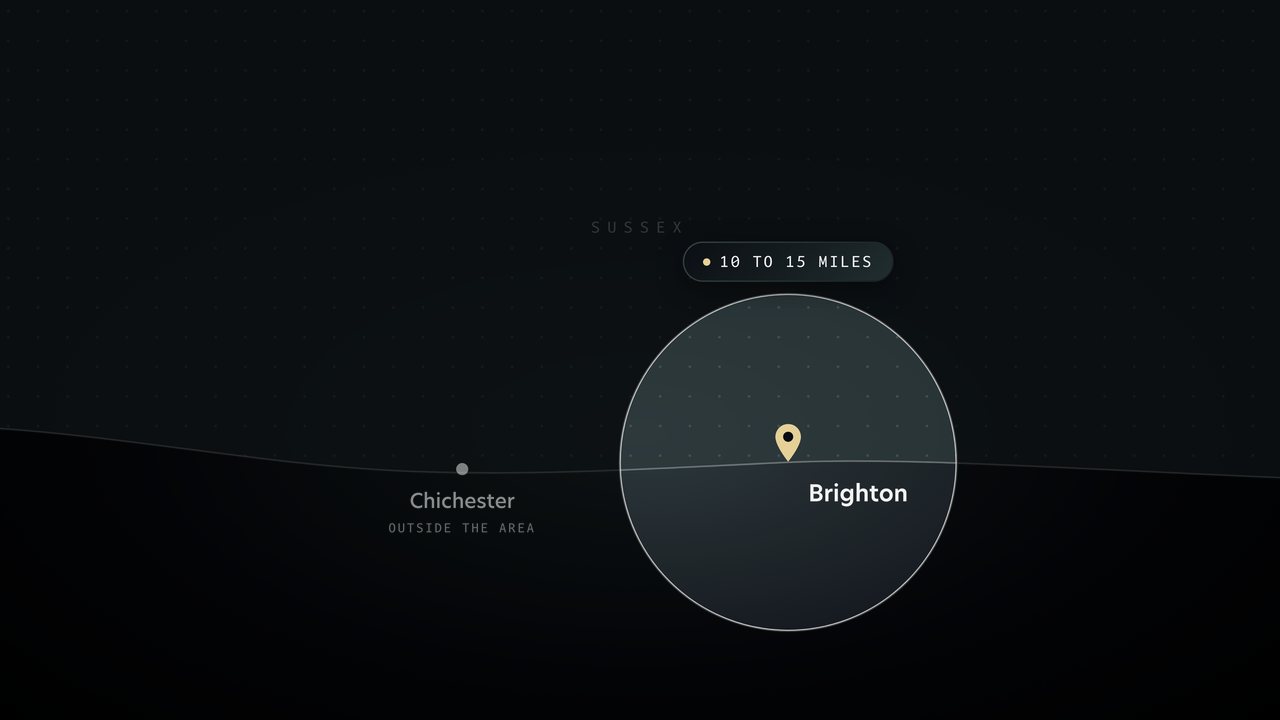
  • 12
    W1 12 Map.mov6.6s · Full screen, W1 00 Ground under it

    that's roughly ten to fifteen miles

    His map graphic: pin, 10 to 15 mile circle, the rest greyed, Chichester outside it. Hold it through “a pound gone”.

    • 0.0The map
    • 0.7Pin on where you want the work
    • 1.210 to 15 miles round it
    • 2.6Everything outside goes grey
    • 3.4Chichester is outside
  • B

    Then leave everything else open.

    Interests and age. Keep it on him.

  • C

    The video's already doing that sorting for you.

    Lesson line.

Section 13 · 1 animation

Step 5: Ring them in five minutes

On screenRing in 5 minutes

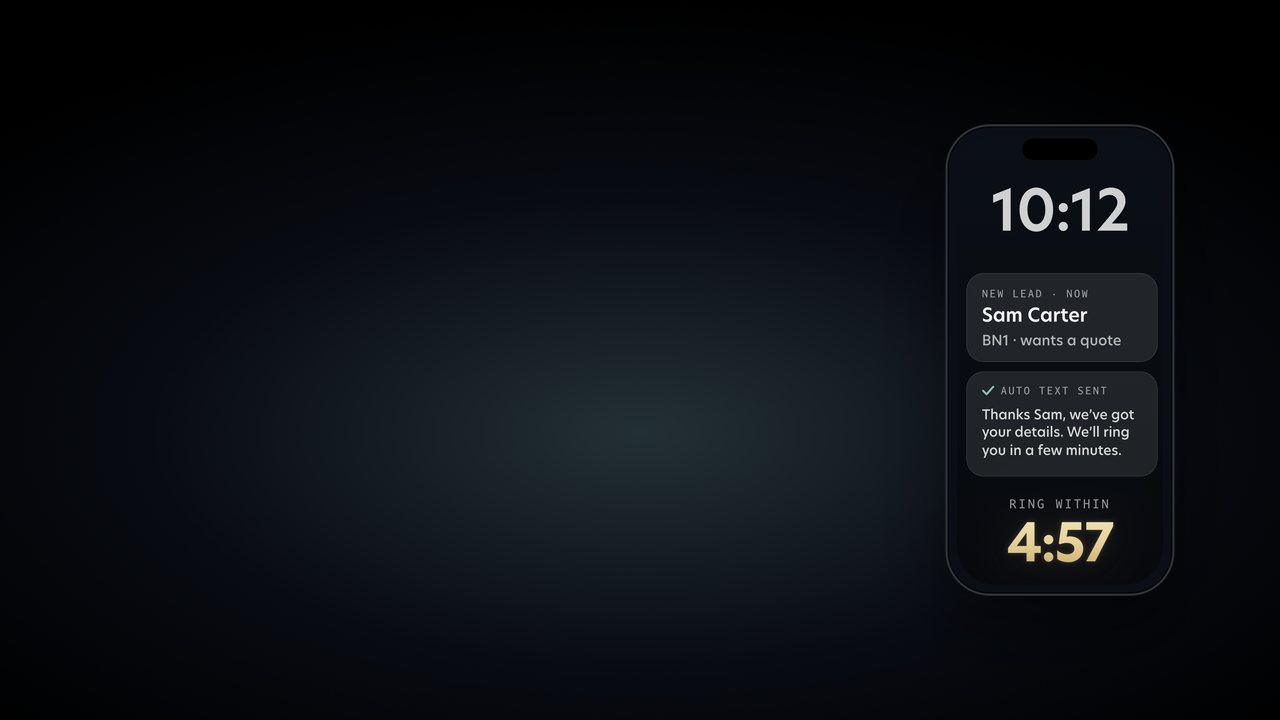
  • 13
    W1 13 Ring in 5 minutes.mov6.8s · Side, right third, straight over Lloyd

    ring every lead within five minutes.

    Lead lands, the auto text goes back, the clock starts. Right third, over Lloyd. Put the chip Step 5, Ring them in five minutes on “Step five” just before it.

    • 0.2New lead lands
    • 1.3Auto text goes back
    • 2.4Ring within 5:00, counting down
  • B

    When someone fills in a form on their phone

    Keyword pop: third voicemail.

    Urgency line. One pop.

  • A

    If you can't always answer straight away

    The text back is already shown in 13.

  • C

    Most people who think their ads don't work

    Lesson line.

Section 14 · 2 animations

What a lead should cost

On screenWhat should a lead cost?

  • A

    So what should a lead cost you?

    Keyword pop: cost per lead.

    Defines the term.

  • 14
    W1 14 Lead costs.mov34.0s · Full screen, W1 00 Ground under it

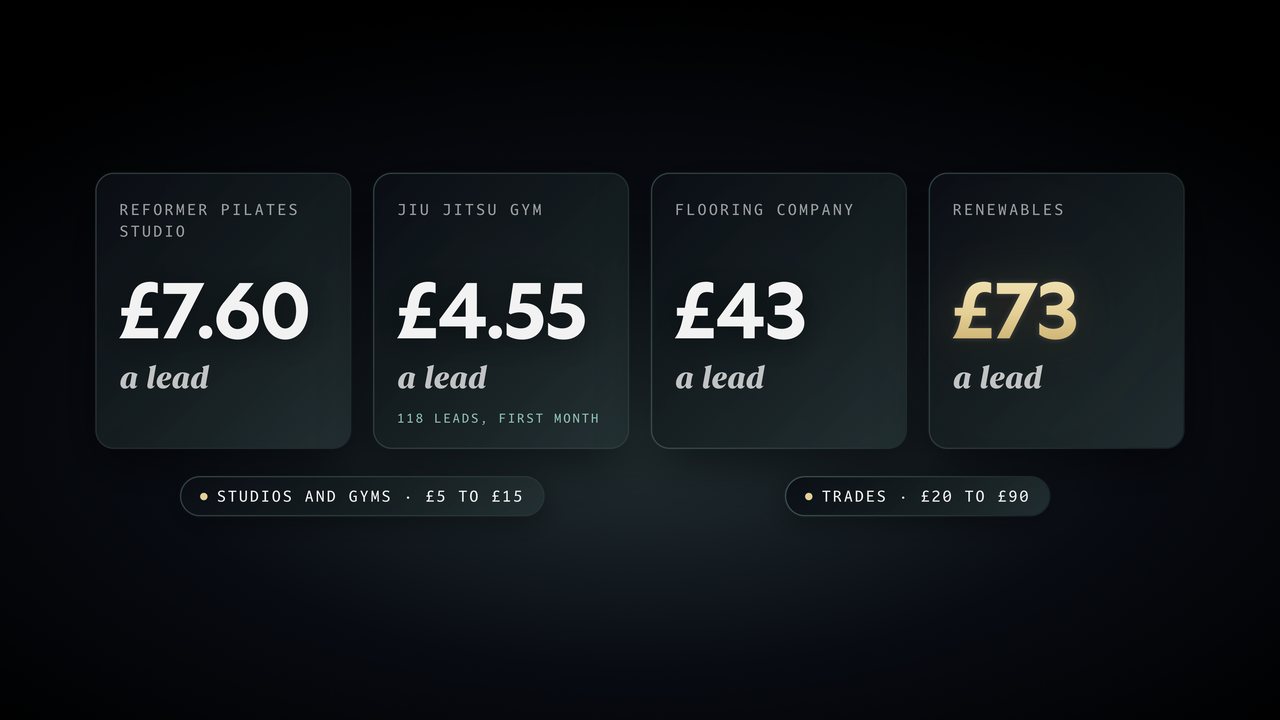
    A reformer pilates studio

    One card per example as he says it. Rendered again to his words, 34 seconds: drop it at 11:37.5 and every card lands on its own.

    • 0.8Reformer pilates studio
    • 4.6£7.60 a lead
    • 5.9Jiu jitsu gym
    • 8.1118 leads, first month
    • 10.5£4.55 a lead
    • 13.6Flooring company
    • 16.0£30 to £40 a lead
    • 18.7Big building jobs
    • 30.75 or 6 questions
    • 31.6Instead of 2 or 3

    Flooring now reads £30 to £40 and the last card is big building jobs, 5 or 6 questions, as he says them. No razors.

  • B

    Seventy quid sounds like a lot next to a four pence click

    The turn into the maths.

  • 15
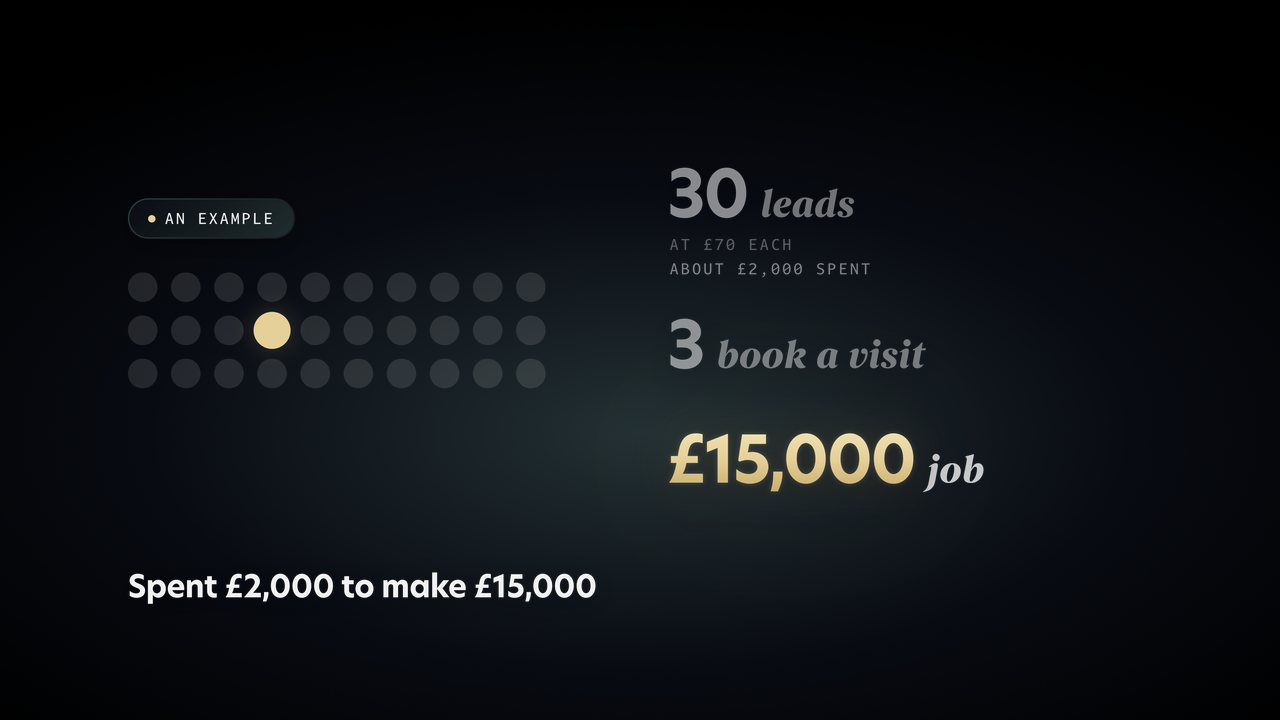
    W1 15 The maths.mov8.8s · Full screen, W1 00 Ground under it

    Say you get thirty leads at seventy quid each

    The maths as a picture: 30 dots, 3 visits, 1 job. Marked as an example, like the script says.

    • 0.230 leads at £70
    • 1.6About £2,000 spent
    • 3.23 book a visit
    • 4.61 job at £15,000
    • 6.3Spent £2,000 to make £15,000
  • C

    So judge your ads on the jobs they bring in

    Lesson line of the whole video.

Section 15 · 1 animation

Recap

On screenThe five steps as a checklist

  • A

    So here's the whole thing.

    The boost summary. Face only.

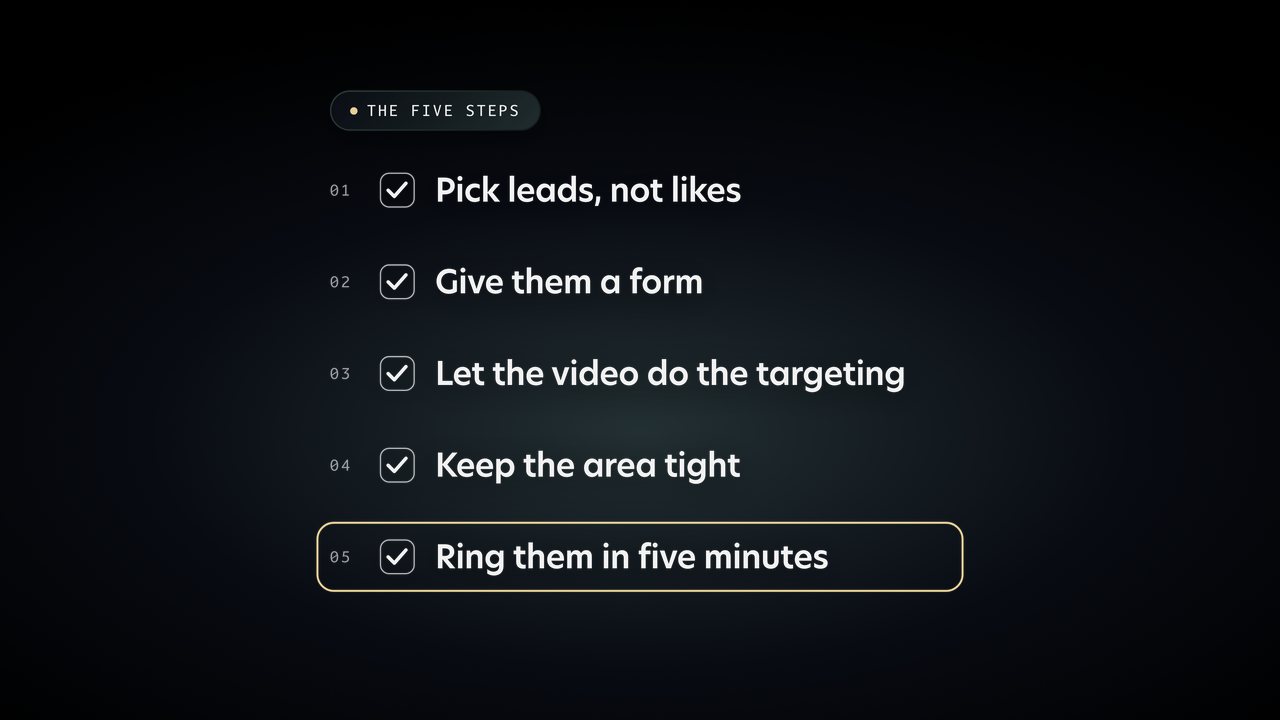
  • 16
    W1 16 Recap.mov14.0s · Full screen, W1 00 Ground under it

    Instead, open Ads Manager and pick leads.

    The five steps tick off as he says them.

    • 0.0The five steps
    • 1.8Pick leads, not likes
    • 3.2Give them a form
    • 6.2Let the video do the targeting
    • 10.3Keep the area tight
    • 12.0Ring them in five minutes

    Razor in the holds if a tick lands early.

  • C

    Do those five and twenty quid a day

    The payoff line.

Section 16

Close

  • A

    Part two lands next Friday

    Keyword pop: number nine.

    The tease for week 2.

  • A

    And if you run a service business in Sussex

    End card, gold fill CTA: DM GROWTH, @huntvisualsuk. The one gold fill in the video.

    Then the end screen.

For Lloyd

What he still has to record.

Nothing is required. Every screen recording the script asked for (the goal menu, Ads Manager, the lead form, the phone, the map, the results screen) is now an animation in the pack.